Upgrade from Desktop to Cloud Accounting with secure data migration, expert support, and zero data loss guarantee.
No data loss guaranteed during transfer.
Expert assistance anytime you need.
Complete migration in hours not days.
We provide complete QuickBooks migration, setup, troubleshooting and bookkeeping solutions for businesses.

Securely migrate your QuickBooks Desktop data to the latest version without data loss.

Complete QuickBooks Online configuration for smooth accounting management.
Recover damaged company files and repair QuickBooks data errors professionally.

Resolve banking connection issues and fix transaction sync problems quickly.

Get help with subscription billing, renewal issues and payment errors.
Manage QuickBooks subscriptions, upgrades and account settings efficiently.

Professional assistance for proper chart of accounts and accounting workflows.
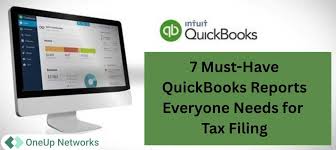
Generate accurate tax reports and organize financial documents easily.
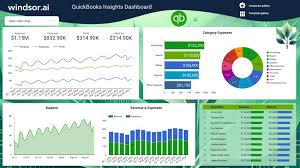
Create advanced reports and gain better insights into business performance.
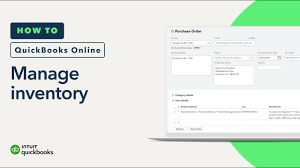
Configure inventory tracking systems for better stock management accuracy.
Set up payroll systems correctly for employee salary and tax management.
Trusted by businesses for secure migration, accounting support and reliable customer service.



Simple 4-step secure process
We analyze your Desktop file and structure.
Fix errors and prepare data for migration.
Secure transfer to QuickBooks Online cloud.
Final verification and accuracy check.
QuickBooks errors may occur during installation, update, payroll or company file access. Below are the most common ones.
Permission issue during installation when installer cannot access directory.
.NET Framework missing or antivirus blocking installation.
Damaged Microsoft .NET Framework or Windows Installer issue.
Network issue, malware or incorrect installation.
Insufficient privileges to modify system files during install.
Database server service fails to start.
Permission or file access issue while opening company file.
Corrupt system files or incomplete installation.
Missing or damaged license file or Windows issues.
Multi-user hosting or network configuration issue.
Windows installer conflict during installation or update.
DLL or antivirus blocking QuickBooks components.
Internet or SSL issue during payroll update.
Network timeout or incorrect browser settings.
Corrupt installation or system registry issue.
Firewall or internet blocking connection.
Incorrect service key or damaged payroll data.
Update failure due to SSL or internet issues.
File corruption during update process.
Internet connection or registry issue.
Firewall or browser blocking update.
Update service blocked or corrupted files.
Company file access issue or corrupted file.
Wrong file location or permission issue.
Low disk space or quota issue.
Damaged .ND file or hosting issue.
Damaged report or missing TxList file.
Data damage in company file.
File read/write or installation issue.
Company file or compatibility issue.
Trusted migration experts for businesses worldwide
ProAdvisors with real migration experience.
We ensure complete safety of financial records.
Migration completed within hours.